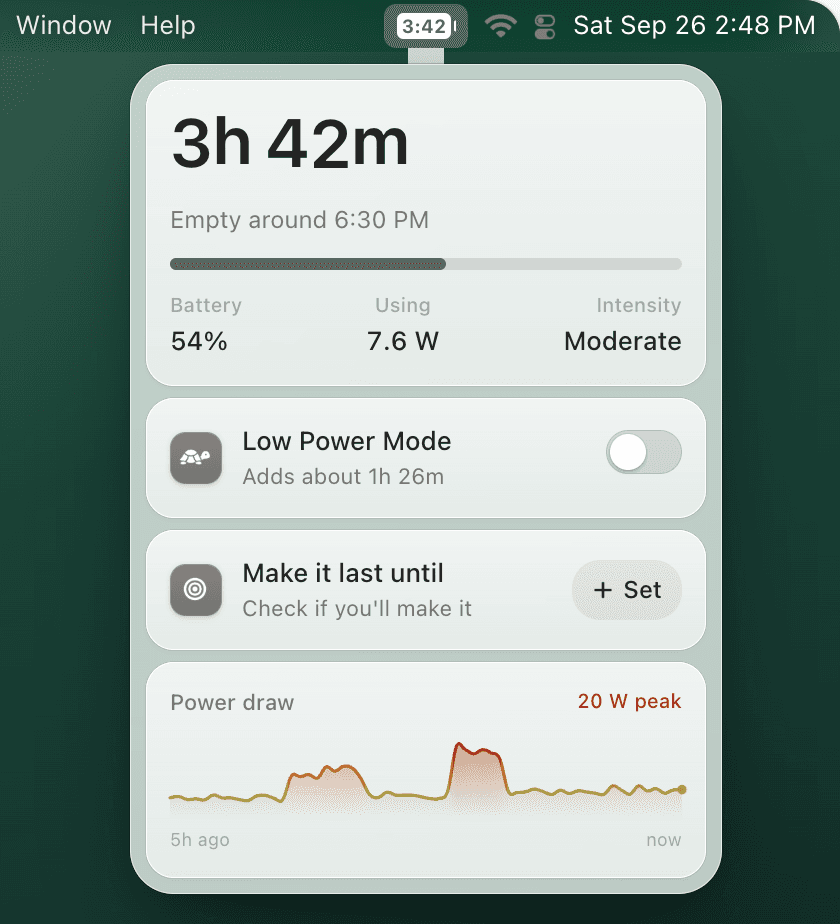
Mac Low Power Mode
Why Is My MacBook Battery Icon Yellow?
If the battery icon in your Mac menu bar turned yellow, your Mac is almost always in Low Power Mode. It is a power-saving status, not a battery-health warning.
Quick answer
The yellow battery icon means Low Power Mode is on. It can reduce background activity, screen brightness behavior, and peak performance so your MacBook lasts longer unplugged. To change it, open System Settings → Battery → Low Power Mode.
What the yellow battery icon means
On modern macOS, yellow is the visual cue for Low Power Mode. It is similar to the yellow battery icon on iPhone: your device is intentionally saving energy. It does not mean your MacBook battery has failed, needs calibration, or is stuck at a bad percentage.
Low Power Mode is useful when you are away from a charger, but it can be confusing if you did not turn it on intentionally or if you expected your Mac to run at full performance.
How to turn the yellow battery icon off
- Open System Settings.
- Click Battery in the sidebar.
- Find Low Power Mode.
- Choose Never if you want the yellow icon off all the time.
- Choose Only on Battery if you want macOS to save energy when unplugged.
If you do not see the option, read the Low Power Mode not showing on Mac troubleshooting guide.
Should you leave Low Power Mode on?
Leave it on when battery life matters more than maximum speed: writing, browsing, email, travel, meetings, and note-taking. Turn it off for sustained heavy workloads such as video export, games, large Xcode builds, or anything where performance matters more than runtime.
The best setup is not always-on or always-off. A better workflow is to enable Low Power Mode only when battery is getting low or when battery-heavy apps are open.
A smarter Low Power Mode workflow
TurtleBar adds battery time remaining to your menu bar and can automatically enable Low Power Mode at the battery percentage you choose. That keeps the yellow icon meaningful: it turns on when it helps, not randomly.