TurtleBar vs coconutBattery vs iStat Menus: Which Mac Battery App Should You Use? (2026)
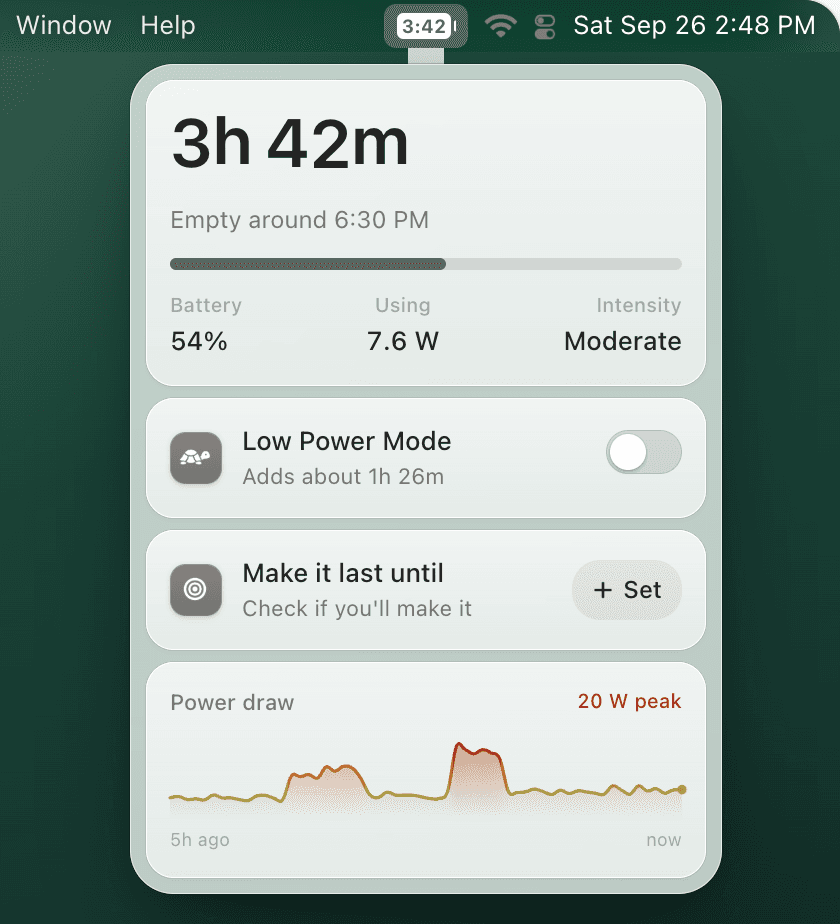
TurtleBar is a good coconutBattery alternative if your daily question is how long your MacBook will last and you want Low Power Mode automation. Choose coconutBattery for battery-health diagnostics such as capacity, cycle count, battery age, and saved history, or choose iStat Menus when you want battery information inside a broader Mac system monitor.
Updated October 6, 2026. Features and prices were checked against the official product pages linked below.
Quick recommendation
- Choose TurtleBar for estimated battery time remaining and automatic power rules. Its official page lists battery-level Low Power Mode automation, per-app rules, Intel and Apple silicon support, and a $4.99 one-time price. TurtleBar source.
- Choose coconutBattery for live battery-quality information on a Mac, iPhone, or iPad. Its official page documents battery history, Wi-Fi device checks, a lifetime analyzer, a free version, and one-time Plus editions. coconutBattery source.
- Choose iStat Menus when battery and power are one part of a system monitor covering CPU, GPU, memory, disks, network, sensors, and weather. Its official page lists macOS 11 or later and a $11.99 single license. iStat Menus source.
Feature and price comparison
| Question | TurtleBar | coconutBattery | iStat Menus |
|---|---|---|---|
| Main documented job | Runtime estimate and power automation | Battery-quality diagnostics and history | Broad Mac system monitoring |
| Documented battery details | Time remaining or empty-at time | Capacity, cycles, age, history, and lifetime analysis | Current state and configurable battery menu item |
| Documented control features | Low Power Mode triggers and per-app rules | Wi-Fi checks for paired iPhone and iPad devices | Notifications and fan control based on sensor or battery state |
| Price checked October 6, 2026 | $4.99 one-time | Free version; one-time Plus editions | $11.99 single license |
Sources for every row: TurtleBar, coconutBattery, and iStat Menus. Vendor pricing and features can change after the checked date.
Which app fits your battery question?
TurtleBar answers a daily planning question: how much working time is left, and should Low Power Mode turn on now? It can show remaining time or the clock time at which the battery is expected to empty, then apply rules based on battery level or the app you are using.
coconutBattery answers a diagnostic question: how does the battery's current capacity compare with its design capacity, how old is it, and how has it changed? The vendor also documents iPhone and iPad checks, saved history, and more detailed analysis in its paid editions.
iStat Menus is the broader option. Battery and power sit alongside CPU, GPU, memory, disk, network, sensors, and weather, so it fits people who want one configurable system monitor rather than a battery-focused workflow.
Frequently asked questions
Is TurtleBar a good coconutBattery alternative?
Yes, if you want estimated battery time remaining in the menu bar and automatic Low Power Mode rules. Choose coconutBattery when your main need is battery-health information such as capacity, cycle count, battery age, and saved history.
Can I use TurtleBar and coconutBattery together?
Yes. TurtleBar focuses on daily runtime and power automation, while coconutBattery focuses on battery-health diagnostics. Their documented feature sets address different jobs.
How much do TurtleBar, coconutBattery, and iStat Menus cost?
As checked October 6, 2026, TurtleBar costs $4.99 as a one-time purchase, coconutBattery has a free version plus one-time Plus editions, and an iStat Menus single license costs $11.99. Check each official product page before buying because prices can change.
Related guides:
Try TurtleBar, the battery time app for Mac
Estimated time remaining, Low Power Mode automation, and per-app rules. $4.99 one-time, with lifetime updates.