Mac battery app comparison
TurtleBar vs iStat Menus
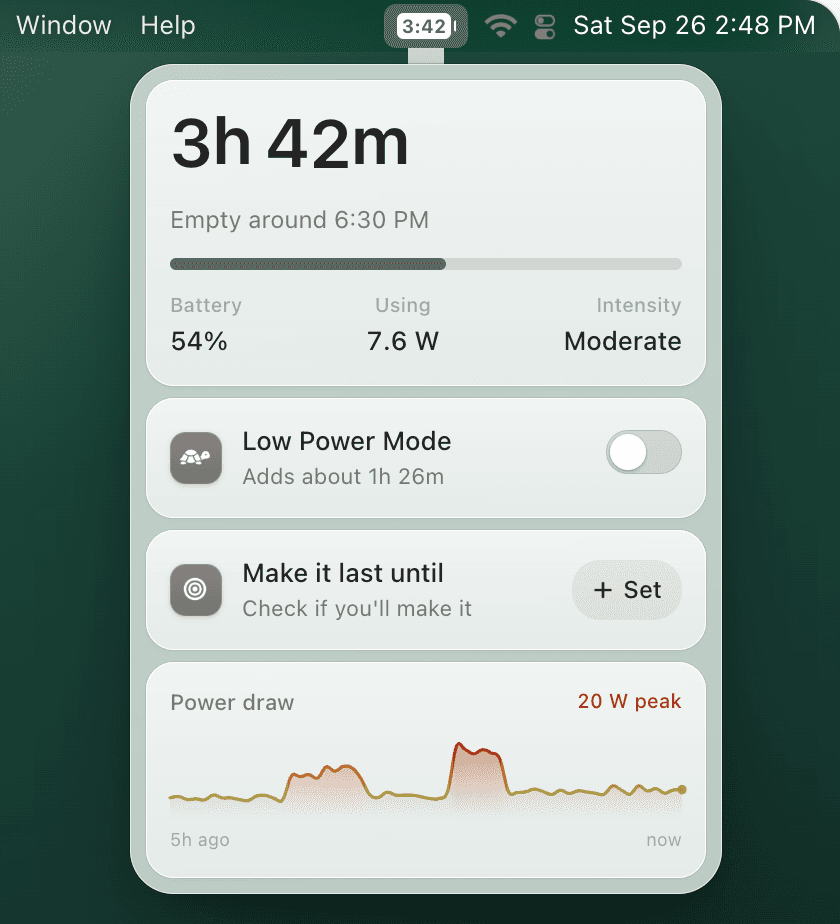
iStat Menus is a broad Mac system monitor. TurtleBar is a focused battery app for people who want time remaining, automatic Low Power Mode, and per-app power rules without a full monitoring suite.
Quick recommendation
Choose TurtleBar if your purchase intent is specifically MacBook battery time and power automation. Choose iStat Menus if you want a dashboard for many system metrics beyond battery.
TurtleBar
- • Real-time battery time remaining in the menu bar
- • Auto-enable Low Power Mode at your threshold
- • Per-app power rules for apps like Zoom or Final Cut Pro
- • Lightweight native Mac app
- • $4.99 one-time purchase
iStat Menus
- • Broad CPU, memory, network, disk, sensor, and battery monitoring
- • Highly configurable menu bar widgets
- • Useful for power users who want many system stats
- • Does not focus on Low Power Mode automation or per-app battery rules
- • Higher price than TurtleBar
Want a battery-focused app instead of a full monitor?
Get TurtleBar for $4.99 one-time. No subscription, lifetime updates, and a 14-day refund guarantee.
Also see: best Mac battery apps comparison.