Mac battery app comparison
TurtleBar vs AlDente
TurtleBar and AlDente both help MacBook owners think about battery, but they are built for different moments: working on battery versus managing charging behavior.
Quick recommendation
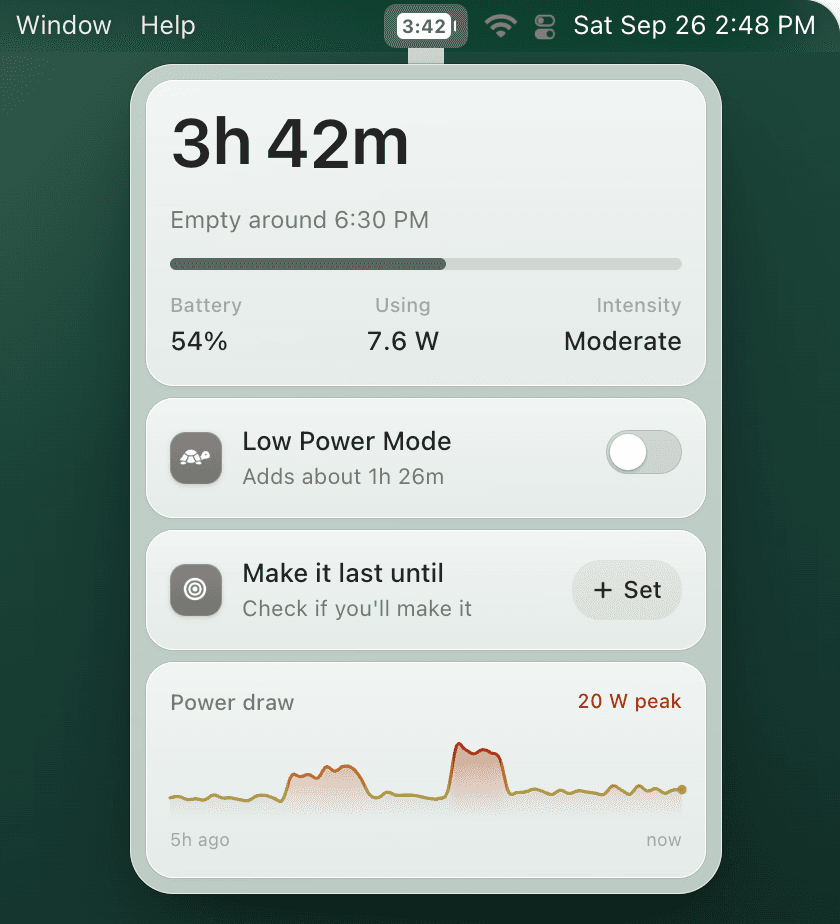
Choose TurtleBar if you want to know how long your Mac will last and automate Low Power Mode while unplugged. Choose AlDente if your main goal is limiting charge levels while plugged in for long-term battery longevity, especially on an Intel Mac, on older macOS, or when you want finer control such as sailing between two values or discharging while plugged in. If you only need a basic cap and your Mac has Apple silicon with macOS Tahoe 26.4 or later, try the built-in Charge Limit first: System Settings → Battery, then the info button next to Charging, with a limit between 80% and 100%.
| Need | TurtleBar | AlDente |
|---|---|---|
| Battery time remaining | Yes | Not its core job |
| Low Power Mode automation | Yes | No |
| Per-app power rules | Yes | No |
| Charge limiting | No | Yes |
| Best situation | Working unplugged and avoiding surprise shutdowns | Keeping a plugged-in Mac below full charge |
They can be complementary
If you care about both charging habits and day-to-day battery runtime, you may use a charge limit (the built-in macOS Charge Limit or AlDente) for plugged-in longevity and TurtleBar for unplugged work sessions. TurtleBar focuses on live prediction and power-saving automation rather than charge caps.
Need better battery time while unplugged?
Get TurtleBar for $4.99 one-time, with no subscription and a 14-day refund guarantee.
Also see: Mac Low Power Mode automation guide.