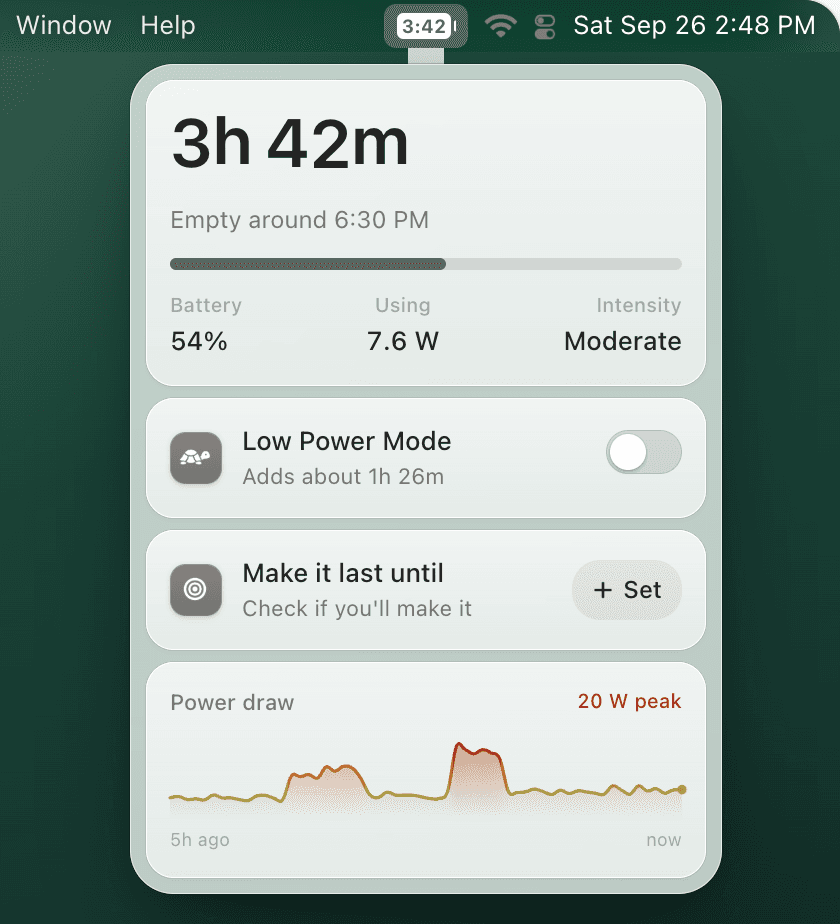
Best MacBook Battery Widget: Menu Bar Time, Percent & Alerts
If you searched for a MacBook battery widget, you probably want a faster answer than opening Battery settings: how much charge is left, how long it will last, and what to do before the battery gets low. macOS covers the basics, but a menu bar battery widget can be much more useful.
Quick answer
What is the best MacBook battery widget?
The best daily MacBook battery widget lives in the menu bar, shows percentage and estimated time remaining, warns before your battery is critical, and can automatically turn on Low Power Mode around 40% or 30%.
What macOS gives you for free
macOS can show a battery icon and percentage in the menu bar. Open System Settings → Control Center → Battery, then enable the menu bar option and Show Percentage. If that is all you need, use the built-in setting first.
The missing piece is time. Percentage does not answer “can I finish this call?” or “should I plug in before leaving?” For setup steps, see how to show battery percentage on Mac.
What a better battery widget should do
- Show time remaining, not only percentage.
- Warn early before you hit a stressful 5% battery warning.
- Explain charging state so you know whether the Mac is charging, on hold, or draining while plugged in.
- Trigger Low Power Mode automatically at a useful threshold like 40% for travel days or 30% for normal work.
Built-in battery icon vs TurtleBar widget
| Need | macOS | TurtleBar |
|---|---|---|
| Battery percentage | Yes | Yes |
| Time remaining in menu bar | No built-in menu bar estimate | Yes |
| Low-battery alerts | Limited system warning | Earlier practical warning |
| Auto Low Power Mode | No percentage trigger | Battery-level and app rules |
Recommended setup
- Keep the built-in macOS battery icon visible so the system state is always obvious.
- Add TurtleBar for estimated time remaining in the menu bar.
- Set Low Power Mode to turn on automatically below 30% for normal days, or 40% when traveling.
- Use per-app rules for battery-heavy sessions like Zoom, Chrome, Figma, Xcode, or video calls.
Turn your battery indicator into a useful workflow
TurtleBar is a lightweight Mac menu bar battery app for time remaining, practical alerts, and automatic Low Power Mode. One-time purchase, built for people who care about battery life without running a heavy system monitor.