MacBook Battery Drops Suddenly? What to Check First
If your MacBook battery drops from 80% to 30%, 50% to 10%, or falls in big chunks instead of draining smoothly, do not guess. The cause can be battery wear, a misreported percentage, heavy apps, heat, or sleep/wake drain. Use this checklist to separate a replacement problem from a daily runtime problem.
Quick answer
The safe 5-step sudden-drop checklist
- Check Battery Health: System Settings → Battery → Battery Health. Service Recommended or very low maximum capacity points toward replacement.
- Check cycle count: Option-click Apple menu → System Information → Power. Compare cycles with Apple's 1,000-cycle guidance for most modern MacBooks.
- Check heavy apps: Activity Monitor → Energy. Browsers, video calls, games, external displays, and indexing can make a healthy battery drop fast.
- Check sleep drain: If the drop happens while closed, troubleshoot overnight drain and wake events separately.
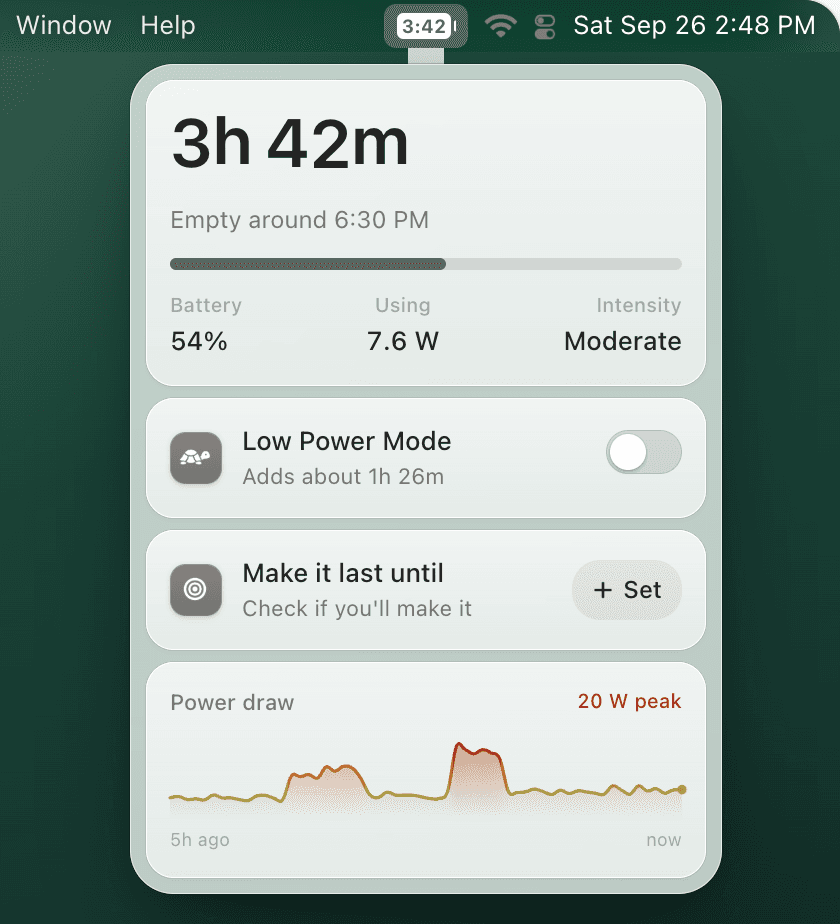
- Protect the next session: use Low Power Mode earlier and keep time remaining visible so a sudden drop does not interrupt a meeting or trip.
Runtime protection
If the battery is safe but unpredictable, automate the safety margin
TurtleBar is not a battery-health replacement tool. It solves the daily problem that comes after the health check: how much time is left right now, and when should Low Power Mode turn on before the percentage cliff hits?
What each sudden-drop pattern usually means
Drops under heavy load
Often voltage sag or high energy use. Test again with video calls, games, browser tabs, and external displays closed.
Drops while sleeping
Usually wake events, network activity, Bluetooth accessories, or apps preventing sleep. Start with the overnight drain workflow.
Drops then shuts down
More serious: check Battery Health, cycles, swelling, heat, and Apple Diagnostics. Plan service if it repeats.
Drops after a macOS update
Indexing and background tasks can drain for a day. If it continues, inspect Energy and battery health.
When it is probably battery replacement time
Replacement becomes likely when sudden drops happen during light use, the MacBook shuts down with charge remaining, Battery Health says Service Recommended, maximum capacity is near or below 80%, the cycle count is high, or the battery shows swelling or heat. Start with MacBook battery health, then compare symptoms with MacBook dies at 50% and Service Recommended battery.
When it is probably a daily-use runtime problem
If Battery Health is Normal and the Mac drains mainly during Chrome, video calls, Xcode, games, external displays, or travel days, treat it as a power-management problem first. Use Mac battery time remaining, battery usage by app, and Low Power Mode automation to create a safer buffer.