MacBook Battery Drain Checklist: Find the Cause Fast
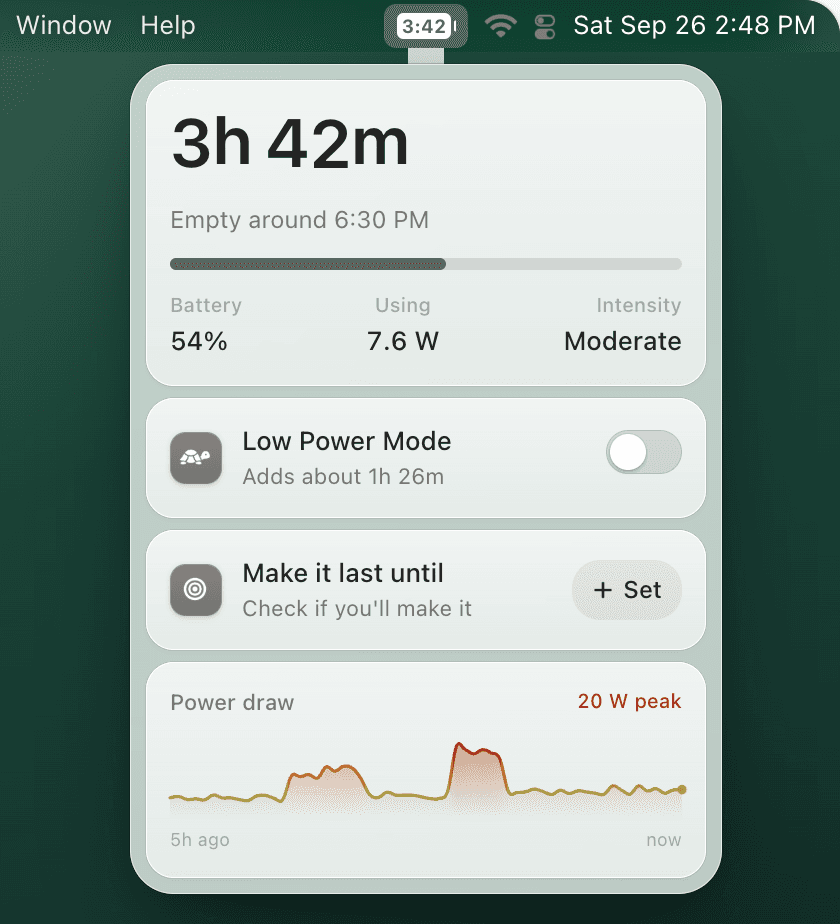
If your MacBook battery suddenly drops faster than usual, do not start with a battery replacement. Run this checklist first: it separates one-off software drain from real battery wear, then shows when TurtleBar can help with earlier warnings and easier Low Power Mode.
Quick answer
The 10-minute MacBook battery drain check
Check Activity Monitor Energy, Battery settings, Chrome tabs, Battery Health, and Low Power Mode. If the drain only appears during real work, keep time remaining visible and set a low-battery warning before the drop ruins your session.
Battery drain checklist
- Find the appOpen Activity Monitor → Energy and sort by Energy Impact. Quit or restart the one app that is clearly above the rest.
- Check Battery settingsOpen System Settings → Battery and review which apps used the most energy over the last 24 hours and 10 days.
- Rule out Chrome/tab drainClose video, dashboards, ad-heavy pages, and unused pinned tabs. If drain stops, read the Chrome-specific guide linked below.
- Turn on Low Power Mode before the drain startsUse Low Power Mode on battery when you are traveling, in meetings, or below about 50%.
- Check Battery Health and cyclesIf maximum capacity is near 80%, cycle count is high, or Service Recommended appears, software tweaks will only help so much.
- Look for overnight wake drainIf the Mac loses charge while closed, check wake devices, network access, cloud sync, Bluetooth accessories, and pending updates.
- Verify after a restartRestart once, unplug for a normal work block, then compare the estimate and percentage drop over 30-60 minutes.
What the result means
One app is obvious
Quit it, update it, or replace it. Start with the battery usage by app guide.
Battery Health is weak
Compare maximum capacity, cycle count, and symptoms in the MacBook Battery Health guide.
Drain is intermittent
Use TurtleBar to keep estimated time visible, trigger earlier warnings, and turn on Low Power Mode before the battery gets critical.
Related fixes
- Fix Mac battery drain for the broader troubleshooting flow.
- Chrome draining MacBook battery if browsers are the top Energy Impact source.
- MacBook battery drain overnight if the loss happens while closed.
- Mac Low Power Mode guide for the feature already converting best in analytics.
Stop discovering battery drain too late
TurtleBar is a simple Mac menu bar battery app for people who want visible time remaining, useful low-battery alerts, and quick Low Power Mode control.