MacBook Battery Health Percentage: Good, Bad, 80% & When to Replace
The short answer: 90% or higher is good, 80-89% is usable but shorter, and below 80% is where replacement starts to make sense if you need reliable unplugged runtime. Do not judge the percentage alone: combine maximum capacity with cycle count, Battery Health condition, and how long the Mac actually lasts during your work.
Quick answer
What is a good battery health percentage for a MacBook?
How to check MacBook battery health percentage
- Open the Apple menu and choose System Settings.
- Select Battery.
- Click the info (i) button next to Battery Health.
- Look for Maximum Capacity and the battery condition, such as Normal or Service Recommended.
If maximum capacity is not shown on your macOS version, check cycle count instead: hold Option, open the Apple menu, choose System Information, then open Hardware → Power. For the full process, use the MacBook battery health guide and the cycle count guide.
Decision table
MacBook battery health percentage: what to do next
Is 80% battery health bad on a MacBook?
80% battery health is not unsafe by itself, but it is the point where many MacBook owners start feeling shorter runtime. Apple commonly describes notebook batteries as designed to retain up to 80% of original capacity at their published cycle count under normal conditions. If your Mac is around 80%, check three things before replacing it: cycle count, Battery Health condition, and real runtime.
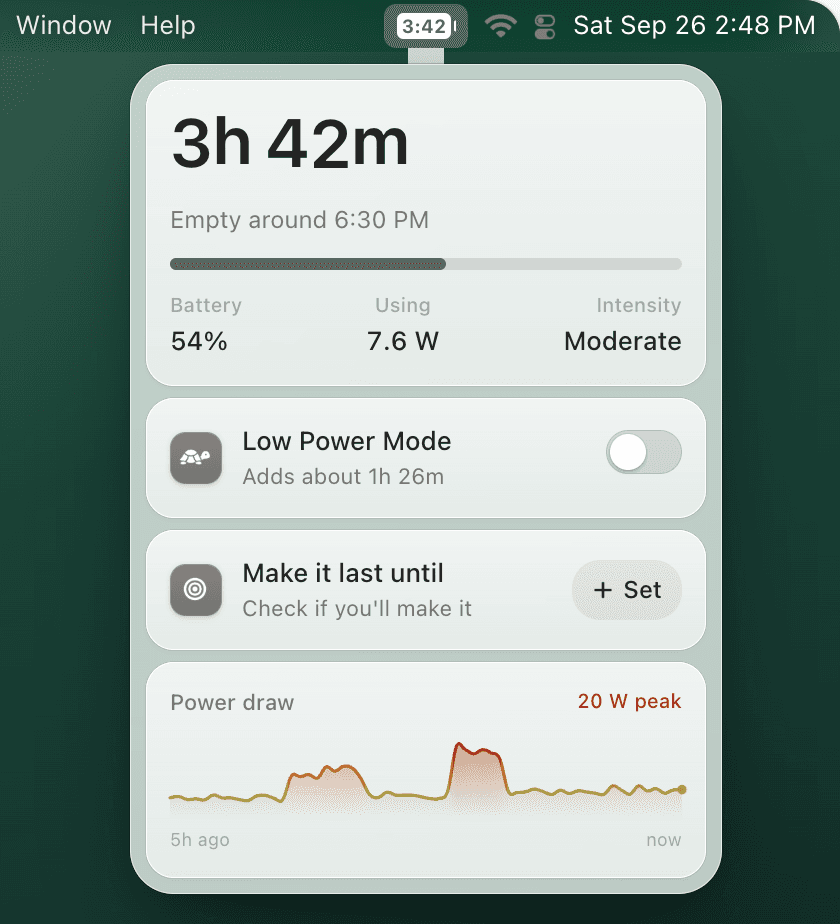
If the Mac still lasts through your day, you can keep using it. If it dies before meetings, flights, classes, or café sessions, replacement may be worth it. If you only need more predictable day-to-day runtime, TurtleBar can be the cheaper first step: it shows time remaining and can trigger Low Power Mode before deep discharge.
Battery percentage says health. TurtleBar says time left.
Maximum capacity explains long-term wear. TurtleBar answers the question macOS stopped answering clearly: how long your MacBook will last right now, plus when to switch into Low Power Mode.
Should you replace a MacBook battery at 85% health?
Usually, no. 85% maximum capacity means the battery is worn, but many people can still use a MacBook comfortably at that level. Replacement makes sense earlier if you see Service Recommended, swelling, sudden shutdowns, or your real runtime has become unacceptable.
Battery health percentage vs. cycle count
Battery health percentage tells capacity. Cycle count tells how much work the battery has done. A MacBook with 92% health and 900 cycles may be fine; a MacBook with 82% health and 250 cycles may have had heat, age, or charging stress. Use both numbers together, then compare them with actual runtime.
For Apple’s 1,000-cycle context, read MacBook battery cycle count. For replacement pricing and timing, read MacBook battery replacement cost.
FAQ
Is 90% battery health good for a MacBook?
Yes. 90% maximum capacity is generally good. Runtime may be slightly shorter than new, but replacement is usually unnecessary unless you have symptoms.
Is 85% battery health good for a MacBook?
85% is usable but worn. Expect shorter runtime, use Low Power Mode earlier, and replace only if the Mac no longer lasts through your normal sessions.
At what percentage should I replace my MacBook battery?
Below 80% is the common threshold to consider replacement, especially if Battery Health says Service Recommended or you depend on unplugged use.
Can TurtleBar improve battery health percentage?
No app can restore chemical capacity. TurtleBar helps with the daily runtime side: showing time remaining, avoiding deep discharges, and switching Low Power Mode on before the battery gets too low.