MacBook Battery Capacity: What Maximum Capacity Means for Runtime
Maximum capacity is the battery-health number most MacBook owners notice first. It tells you how much charge the battery can hold compared with when it was new, but it does not tell you how long your Mac will last today. Use this guide to read the number correctly and connect it to real-world runtime.
Quick answer
How to check MacBook battery capacity
- Open System Settings → Battery.
- Click the info button next to Battery Health.
- Record Maximum Capacity, Condition, and whether Optimized Battery Charging is enabled.
- For cycle count, hold Option, choose Apple menu → System Information → Power.
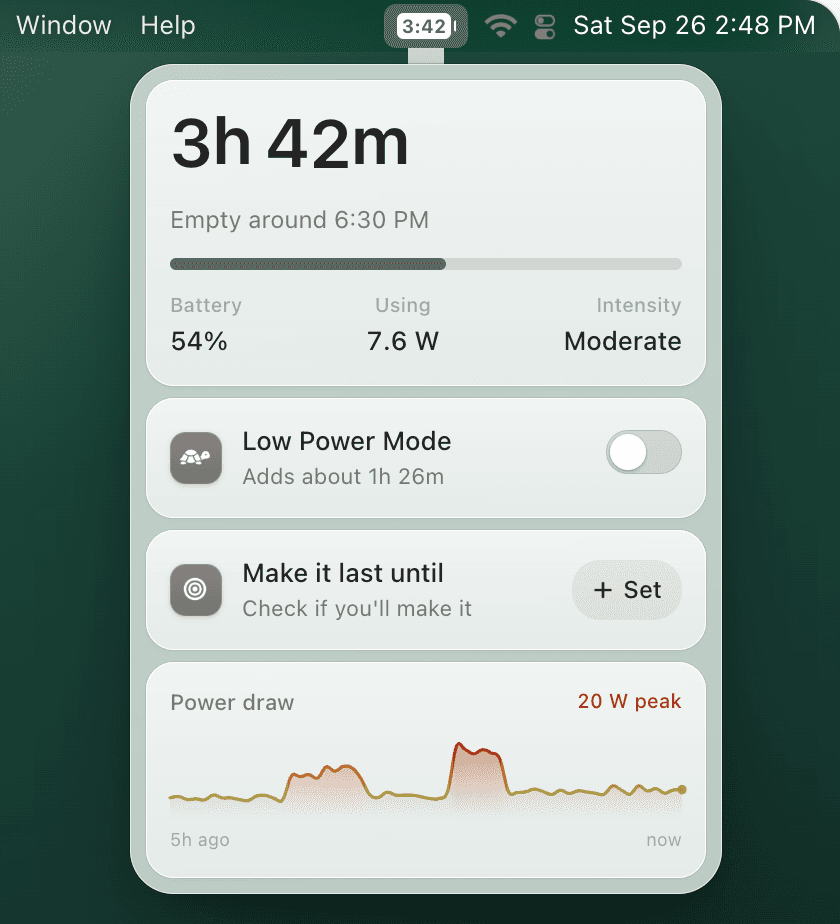
- Then watch actual runtime with TurtleBar, because 90% capacity can still drain quickly under heavy workloads.
Capacity scorecard
What your MacBook maximum capacity means
Maximum capacity vs full charge capacity
Maximum capacity is a percentage. Full charge capacity is the measured amount of energy the battery can currently hold. macOS uses these values with cycle count and condition to estimate whether the battery is normal or needs service.
The practical takeaway: a lower maximum capacity reduces your ceiling, but your daily runtime still depends on what the Mac is doing. Video calls, external displays, browser tabs, developer tools, and screen brightness can matter more than a few percentage points of health.
Why capacity is not the same as time remaining
A MacBook at 88% maximum capacity can last many hours during writing, or drain quickly during builds and calls. That is why Apple's health screen is useful for long-term condition, while a live menu bar estimate is useful for decisions you make today: when to plug in, when to trigger Low Power Mode, and whether a meeting will outlast your battery.
Turn battery capacity into usable runtime
TurtleBar puts battery time remaining back in the menu bar and can switch Low Power Mode on automatically before your battery gets low.