
Your Mac's battery,
under control.
See the exact time your battery dies. Auto-toggle Low Power Mode. Set per-app power rules. All from your menu bar.
One-time purchase. No subscription. 14-day refund.

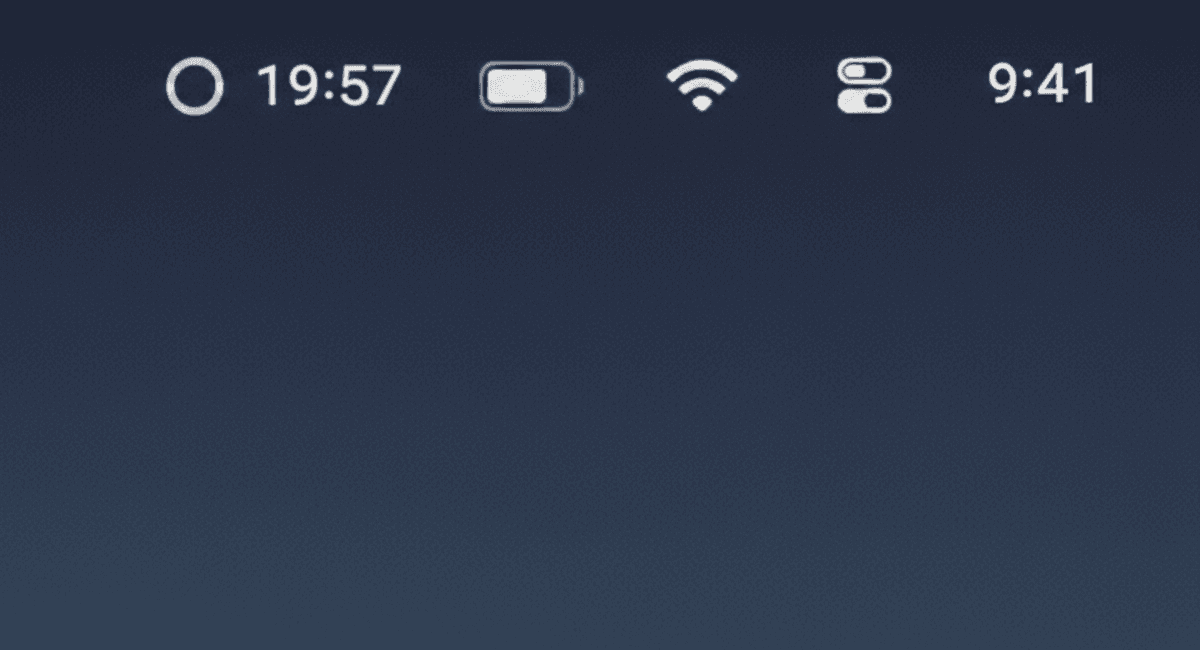
Your battery dies at 19:57. No guessing.
54% means nothing.
Percentages don't tell you when you die
54% could mean two hours or four. Without knowing the exact time your battery runs out, you can't plan your day.
You toggle Low Power Mode too late
By the time you remember, you're already at 10%. An automated toggle at 40% would have saved you an extra hour of battery life.
Every app drains differently
Zoom eats battery. Safari doesn't. But macOS treats them the same. Your power settings should adapt to what you're actually running.
Predict. Optimize. Control.
TurtleBar doesn't just show when your battery dies. It keeps you alive longer with smart automation and per-app power rules.
Smart Low Power Mode
Auto-toggles based on your battery level.
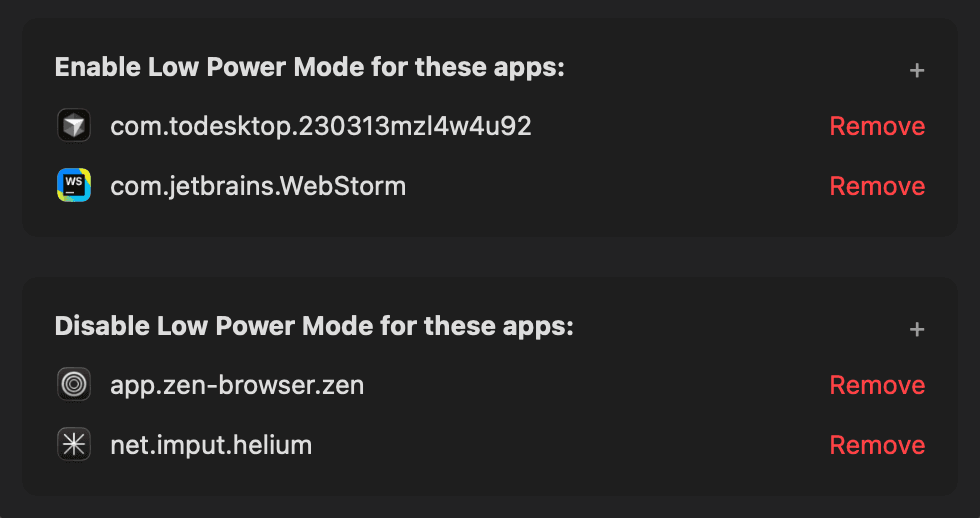
Per-App Power Rules
Set rules per app. You decide what drains what.
Exact Time
Shows '3:47 PM' or '2h 34m' in your menu bar.
Real-time
Adjusts as your workload changes.
Featherweight
< 1% CPU. Native macOS. No Electron.
Per-app power rules in action
Also includes: Battery percentage triggers · Privacy first (zero tracking) · Intel & Apple Silicon · Lifetime updates

hey, i'm soren
(the guy who made turtlebar)
i never knew when my mac would die.
percentage means nothing. is that six hours? four hours? it depends on what you're doing. browsing lasts way longer than video editing.
so i built a menu bar app that shows the exact time, based on your actual usage. then i added smart power management: auto Low Power Mode, per-app rules, battery triggers.
one app. no bloat. know when you die, and stay alive longer.
Everything. $1.99.
One-time payment. Lifetime access. No subscription.
- Exact time in menu bar ('3:47 PM' or '2h 34m')
- Smart Low Power Mode (auto-toggle)
- Per-app power rules
- Battery percentage triggers
- Real-time updates as you work
- Works on Intel & Apple Silicon
- Lifetime updates included
Secure payment via Stripe · 14-day money-back guarantee · Instant download
Your questions answered
Battery guides
Learn everything about Mac battery management.
How to See Time Remaining on Mac
Apple removed it in 2016. Here's how to get it back.
Low Power Mode Automation
Auto-toggle at custom thresholds with per-app rules.
Best Mac Battery Apps 2026
TurtleBar vs coconutBattery vs AlDente vs free options.
Extend MacBook Battery Life
15 proven tips for longer battery life on any MacBook.
MacBook Battery Health
Check cycle count, capacity, and preservation tips.
Why Apple Removed Battery Time
The full story behind Apple's 2016 decision.
Stop guessing. Start managing.
Exact battery predictions, smart Low Power Mode, and per-app power rules. All in one lightweight menu bar app. $1.99 one-time.